Your agents,
in your pocket.
Legio connects your iPhone to the machines where Claude Code, Codex and your other agents run. See every pane, step into any terminal, and get a ping the moment an agent is done — or needs you.
- 1 Get the app Download on theApp Store
-
2 Install legio on your machine
curl -fsSL https://legioapp.cloud/install | shThen run
legioand scan the QR code with the app.
Scan once. You're in.
Run legio pair on your Mac or Linux box. It prints a QR code. Scan it with the app, check that both screens show the same five words, and say yes. That is the whole setup.
- No keys to copy. The phone makes its own SSH key, and your machine adds it only after you approve.
- The code holds no secret. It is good for one phone, for ten minutes.
- Plain SSH underneath. If you can ssh to it, Legio can reach it.
Every agent, at a glance.
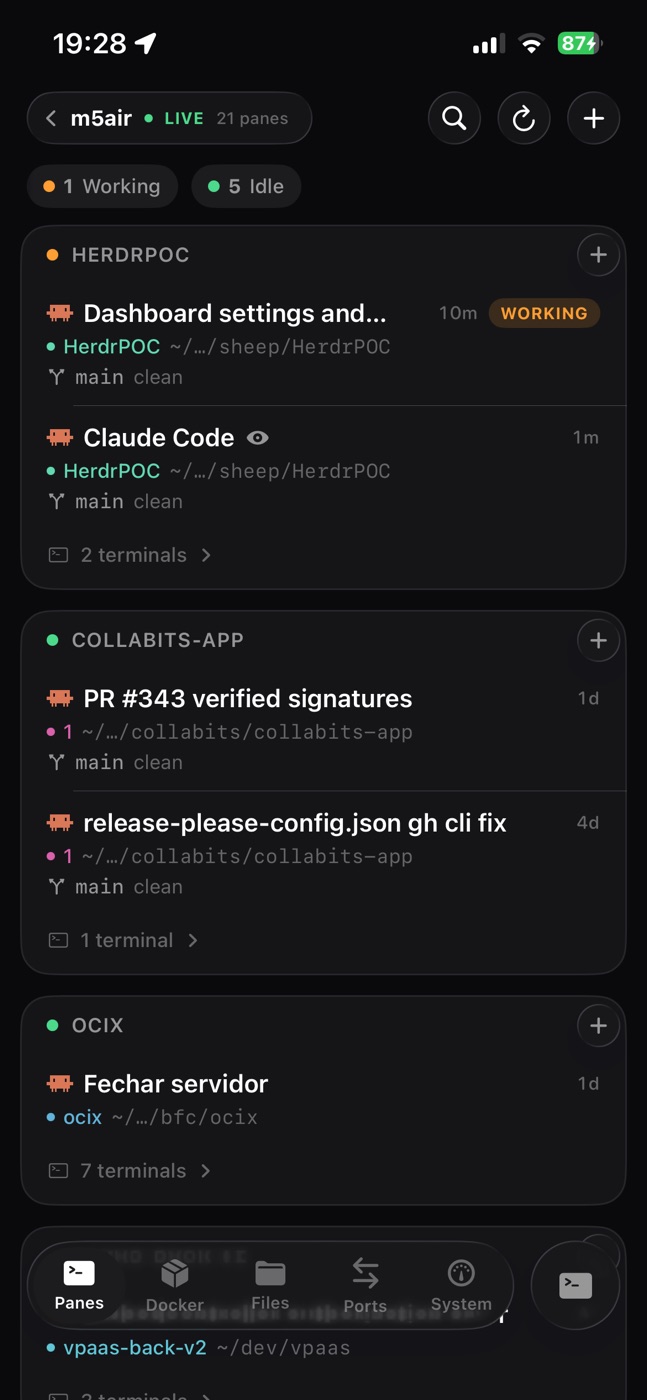
Legio reads your Herdr workspaces and tmux sessions and lists every pane with its agent, its branch and its state. See which agents are still working, which are done and which wait for you.
- Claude Code, Codex, OpenCode and more. Each pane shows which agent runs in it.
- Start new work from the phone. Tap + on a workspace and choose what runs in the new pane.
- Git context on every pane. The branch, and whether the tree is clean.
Step into any pane. Keep the work moving.
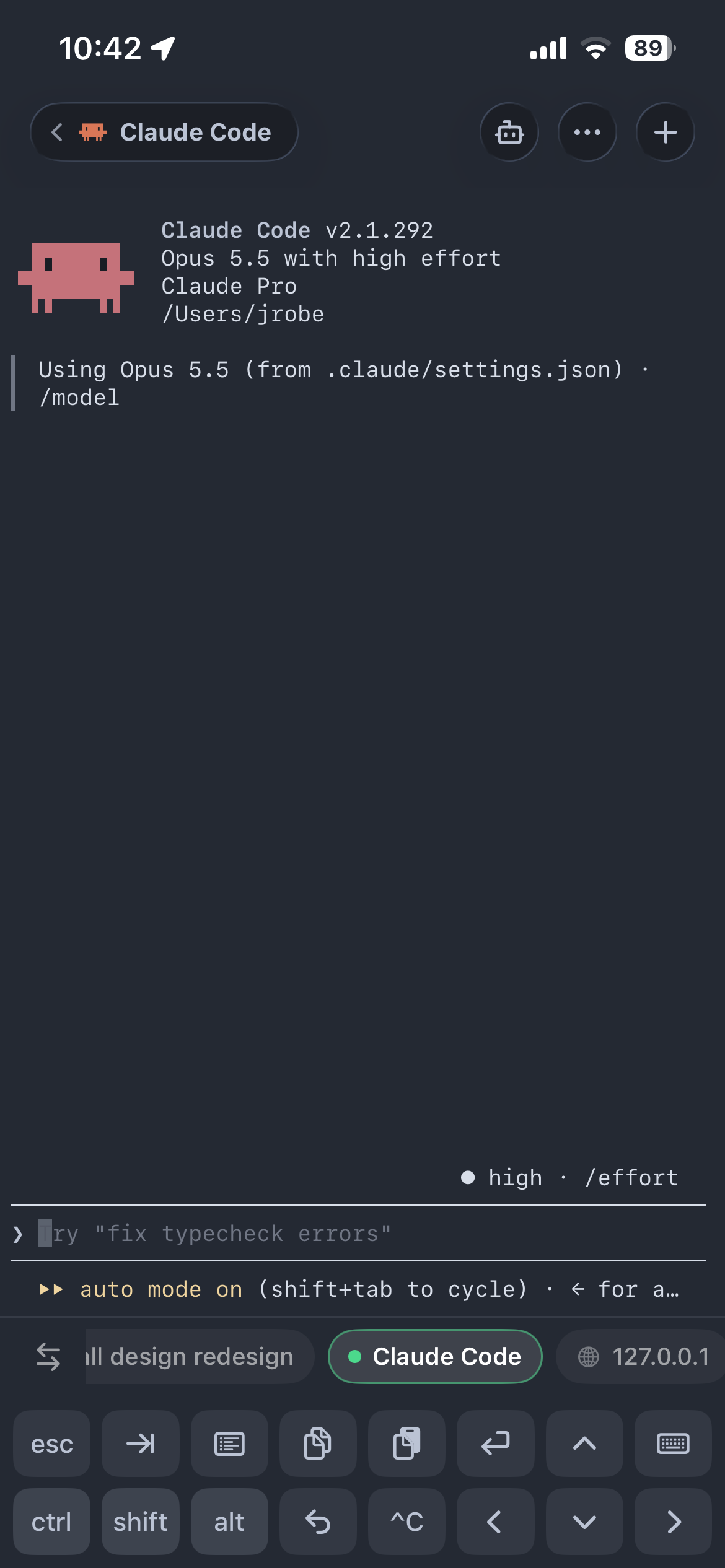
Tap a pane and you are in the real terminal, on the same session as your desk. Read what the agent did, answer its question, or give it the next task.
- A full PTY. Claude Code looks the way it does on your Mac, colors and all.
- A key bar made for thumbs. esc, tab, ctrl, arrows, ^C and enter, one tap each.
- Every pane stays in your tabs. Go from one agent to the next without a reconnect.
Put the phone down. It taps you back.
When an agent finishes, or stops to ask you something, your phone gets a push. Tap it and you land in that pane.
- Sent from your machine.
legio watchsends each push through the Legio relay to Apple. Your terminals stay on SSH. - Nothing gets lost. The terminal button counts what happened while you were away.
Bring the setup you already have.
Legio does not replace how you run your agents. It reads the multiplexer they already live in, and attaches to the real terminal.
 Recommended
Herdr
Made for coding agents. Legio gets the most out of it.
- Workspaces and panes, with branch and folder
- Agent state: Working, Needs input, Done
- Push notifications when an agent finishes or waits
- Live attach to the real terminal
legio pair sets up the bridge Supported
tmux
Already on almost every server. Nothing new to install.
- Sessions and panes
- Live attach to the real terminal
- Agent state and push notifications need Herdr
 Coming soon
Legio multiplexer
Our own multiplexer, made for agents and for the phone from the first line.
- Ships with legio, no extra install
- Made to work with the app from day one
Everything you open a laptop for.
Every connection comes with the tools around the terminal, one tab away.
Show your agent a screenshot.
Drag a photo, a screenshot or a PDF onto the terminal. Legio copies it to the machine and types its path at the cursor, ready for your prompt.
Your dev server, on your phone.
Forward a port of the machine and open it in the built-in browser. Test the change your agent just made, for real.
Containers, by project.
Read the logs, check the ports, start and stop.
Why is it slow?
Processor, memory and disk, live.
Grab any file.
Browse, preview and share to any app.
Review before you merge.
See what the agent changed, file by file.
Less typing on glass.
Keep your slash commands and shell one-liners one key above the keyboard. Select text in a terminal to save it as a new snippet.
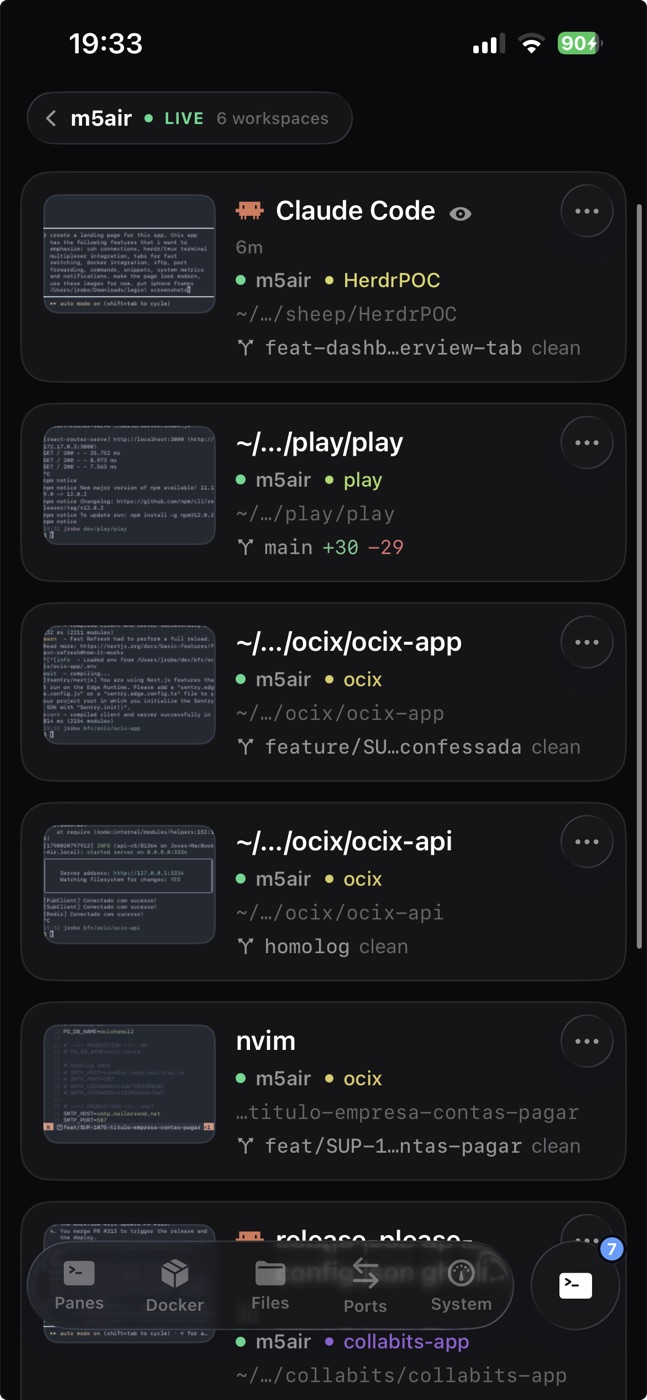
Live previews of every terminal.
Every pane you open stays in your tabs, with its last lines and its diff size on the card.
Your work stays on SSH
Terminals, files and metrics go straight from your iPhone to your machine over SSH. Only notifications pass through the Legio relay, on their way to Apple. No account. How it works
A real terminal
A full PTY with colors and a key bar made for thumbs. vim, htop and your agents look the way they should.
Made for the phone
Dark, calm and quick. Every screen is designed for one hand, not squeezed down from a desktop app.
Pair your first machine. In a minute.
Install legio, scan the code, and your agents go where you go.